Save the Date
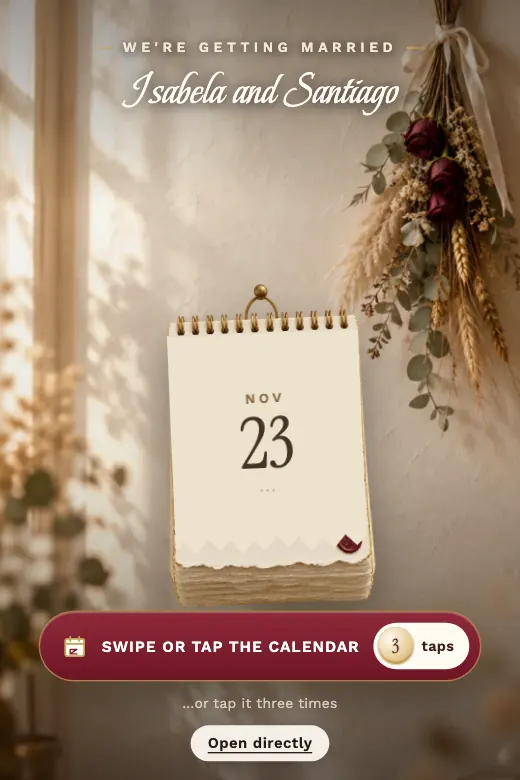
A wall calendar is torn off page by page until it reaches the wedding day, with a heart drawn by hand around the date · ivory, ink, wine, and soft gold
Home›Digital Invitations›Save the Date
A save the date goes out months before the formal wedding invitation, and it has one job: make sure nobody books something else on your date. The Save the Date design tells that story with a simple gesture: guests tear the pages of a calendar one by one until they reach the wedding day, which appears circled in a hand-drawn heart. Have something more elaborate in mind for announcing the date — the proposal photo, the wedding venue already booked? We'll build it custom in the PRO version.
Save the Date comes ready to edit: a wall calendar guests tear page by page with a tap, month after month, until they reach the wedding day, marked with a hand-drawn heart. Want to add the proposal photo or the wedding venue? We'll design it custom in the PRO version.
A wall calendar is torn off page by page until it reaches the wedding day, with a heart drawn by hand around the date · ivory, ink, wine, and soft gold
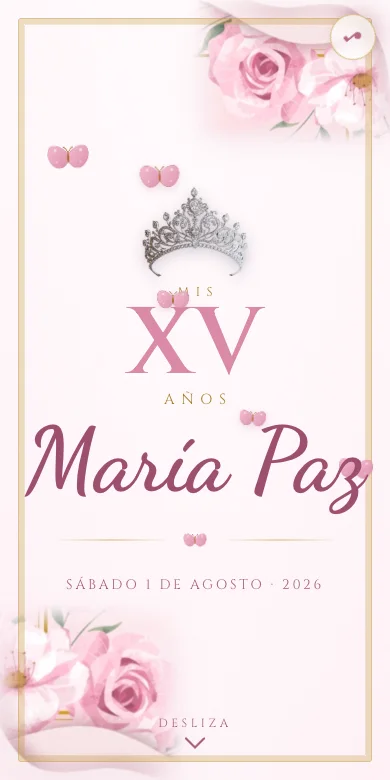
We design it for your party, with your photos and your song. Ready in 24 business hours, and you pay once you approve it.
A save the date has one job, and it isn't to tell the whole wedding story — it's to get the date locked into every guest's head before they book something else on top of it. That's why it carries less information than the formal invitation that follows, and why it's worth sending well in advance, especially if guests are traveling from another city or country.
The Save the Date design leans into that exact idea: watching the months pass on a calendar until the marked day arrives makes the date feel real, not just another detail in a WhatsApp message.
The couple's names, the full date — and the city, if it's already set — plus a line making clear that the formal invitation, with time, venue and every other detail, is coming later. No need for a map or a dress code yet; that belongs in the wedding invitation, not the save the date.
On timing, six to twelve months ahead is standard, and the farther guests are traveling from, the more lead time they'll need to plan the trip and request time off work.
Some couples prefer the save the date to just announce the date, with nothing asked in return; others use the "RSVP" button to get an early read on who's planning to come, even though the final headcount is confirmed with the formal invitation. Either way works: the RSVP message lands straight in the couple's WhatsApp, no paper lists or scattered group chats.
The Save the Date design, from $15, is one you edit yourself: add the names, date and city, and see it update live before you pay. The PRO version, for $59, is designed custom around the couple's story — with the proposal photo or the exact wedding venue — ready in 24 business hours with two rounds of revisions.
If guests are traveling from another city or country, six months or more of lead time gives them room to plan the trip and request time off work.
A save the date only needs the date and, if you have it, the city. The time, exact venue and dress code belong in the formal invitation that follows.
A short line like "details to follow" keeps guests from assuming they already have everything they need to know.
If many guests are traveling, turning on RSVP early helps you plan flights or lodging with more lead time.
Edit the Save the Date design in minutes, or message us on WhatsApp for a save the date custom-built around your story.