Snow Globe
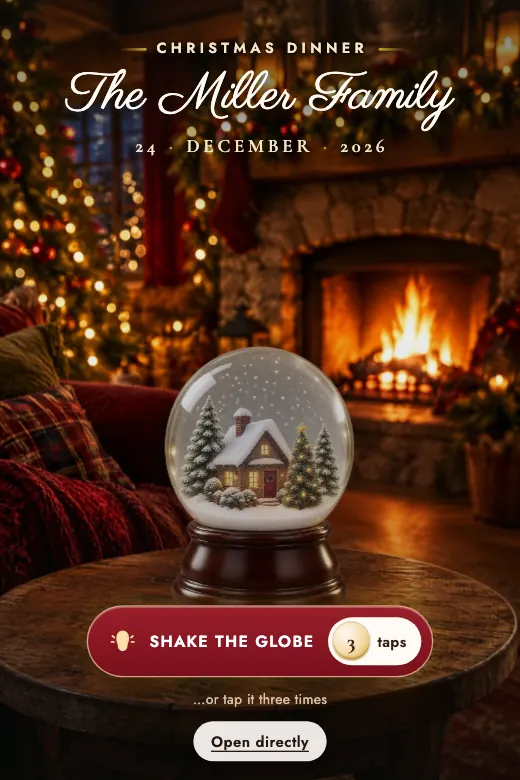
A glass snow globe with a little snowy village inside: shake it or tap it three times and the snow covers the screen · Christmas in deep red, pine green, and gold
Home›Digital Invitations›Christmas
Family dinner, office holiday party or Secret Santa with friends — December brings more than one kind of celebration, and each one deserves its own invitation. The Snow Globe design handles it with a single gesture: shake your phone or tap the globe on screen, snow swirls inside, the lights of a miniature village turn on, and snow settles over the whole invitation. Got something specific in mind — a color theme, your company's logo, the Secret Santa rules? We'll build it custom in the PRO version.
Snow Globe comes ready to edit: a miniature glass globe that shakes when you tap the screen or move your phone. Snow swirls inside, the lights of a snowy village turn on, and finally snow falls and covers the whole invitation. Want it to carry your company's branding or your Secret Santa rules? We'll design it custom in the PRO version.
A glass snow globe with a little snowy village inside: shake it or tap it three times and the snow covers the screen · Christmas in deep red, pine green, and gold
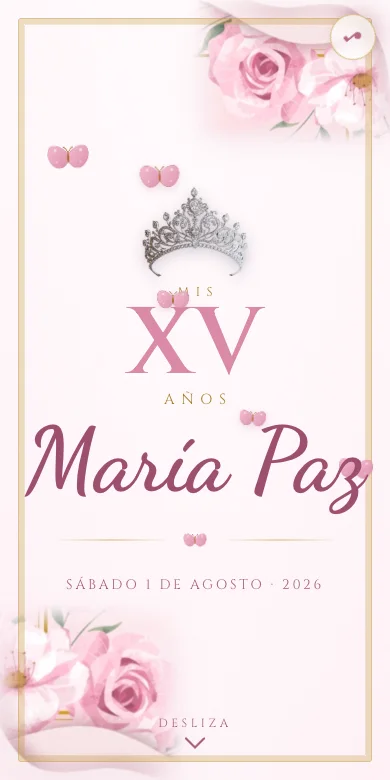
We design it for your party, with your photos and your song. Ready in 24 business hours, and you pay once you approve it.
December packs more than one party under the same name, and they don't all call for the same invitation. A family dinner, an office holiday party and a Secret Santa with friends all share the season, but each needs different information from the first message. The Snow Globe design works for all three, with the same gesture that gets anyone in the mood: shake the globe and watch the snow fall.
What matters most here is the exact time — dinner before or after midnight — who's bringing what dish if the meal is a potluck, and the address with a map, since Christmas often means gathering at a relative's place not everyone visits often.
This one needs more logistics: whether there's a dress code, whether guests can bring a plus-one, whether there's a gift exchange with a spending cap, and the exact time, inside or outside work hours. This is where a custom design with your company's colors or logo pays off most.
The invitation should spell out the rules clearly: the gift's price cap, the exchange date, and whether names are drawn ahead of time or during the gathering. It's worth putting this somewhere visible, not as a footnote nobody reads.
On timing, two to three weeks ahead works well in December, since calendars fill up fast with several parties competing for the same dates. Sending it early keeps guests from already having another commitment.
RSVPs work the same as any digital invitation: guests tap "RSVP," type their name and how many are coming, and that message lands straight in the host's WhatsApp. That way you know ahead of time how much food or how many gifts to plan for.
The Snow Globe design, from $15, is one you edit yourself: add the date, venue and type of celebration, and see it update live before you pay. The PRO version, for $59, is built custom around your event — with your company's colors or logo, or the exact rules of your Secret Santa — ready in 24 business hours with two rounds of revisions.
If dinner is at eight and the party runs past midnight, spell out both times clearly. It keeps someone from missing the toast by showing up late.
The gift's price limit and exchange date should be easy to spot, not buried in a long paragraph nobody finishes reading.
"Smart casual," "red or green" or "formal" are short lines that keep someone from showing up in the wrong outfit for the work party.
December has several parties competing for the same date. Sending it two to three weeks ahead improves turnout.
Edit the Snow Globe design in minutes, or message us on WhatsApp for an invitation custom-built around your holiday party.